CNC Routing for Acrylic: A Practical Guide to Cut Edges, Thicknesses and Finishes for Signage
CNC routing for acrylic uses a computer-guided router to cut, shape and engrave acrylic sheet with a rotating bit, producing a machined edge that can be left frosted, sanded smooth or flame polished afterwards. It suits thicker sheet, complex profiles and multi-layer signage where laser cutting's heat-affected edge and thickness limits fall short.
Most businesses specifying an acrylic sign have never thought about how it's actually made. They see a render or a sample and assume any fabricator can turn it into the real thing. The process behind that panel, letter or lightbox face changes the edge quality, the strength, the finish options and the price. Get the process wrong for the application and you end up with a sign that flexes, yellows early, or shows a rough edge under shopfront lighting.
This guide walks through what CNC routing actually does to acrylic, when it's the right call over laser cutting, and what decisions change the price and the finished look. It's written from the fabrication side, based on the acrylic products Sunquest Signs cuts in-house every week: built-up letters, lightbox faces, reception plaques, wayfinding signage and plinth faces for Sunshine Coast and wider Queensland businesses.
Key Takeaways
- CNC routing removes acrylic material with a rotating bit, giving a machined edge suited to thicker sheet and 3D shapes; laser cutting melts a thinner edge with a glossy flame-polished finish.
- Cast acrylic routes and polishes more predictably than extruded acrylic, which matters for visible edges on letters and plaques.
- Sunquest works with acrylic from roughly 3mm up to 25mm and beyond, matched to the sign type and span.
- Queensland's UV exposure and coastal humidity should drive colour and grade choices, not just budget.
- Finishing decisions (polished edges, painted returns, LED illumination, stand-offs) move the price more than the base material does.
- Clean vector artwork with outlined fonts and sensible minimum stroke widths is what lets a job route cleanly the first time.
Ready to make your business impossible to miss?
Design, manufacture and installation, all under one roof in Warana.
Get a Free QuoteSummary Table: CNC Routing vs Laser Cutting for Acrylic
| Factor | CNC Routing | Laser Cutting |
|---|---|---|
| Edge finish | Matte, machined edge; can be polished afterwards | Glossy, flame-polished edge straight off the machine |
| Thickness range | Sunquest routes from around 3mm up to 25mm and beyond | Best suited to thinner sheet, generally under 10mm |
| Heat stress risk | Low; cutting is mechanical, not thermal | Higher, particularly on dark or thick acrylic |
| Best suited to | Built-up letters, layered signage, 3D profiling, engraving | Fine detail work, thin sheet, small intricate lettering |
| Typical Sunquest application | Reception signage, lightbox faces, plinth and pylon faces | Small badges, decorative inserts, fine internal detail |
What CNC Routing Actually Is (And How It Differs From Laser Cutting Acrylic)
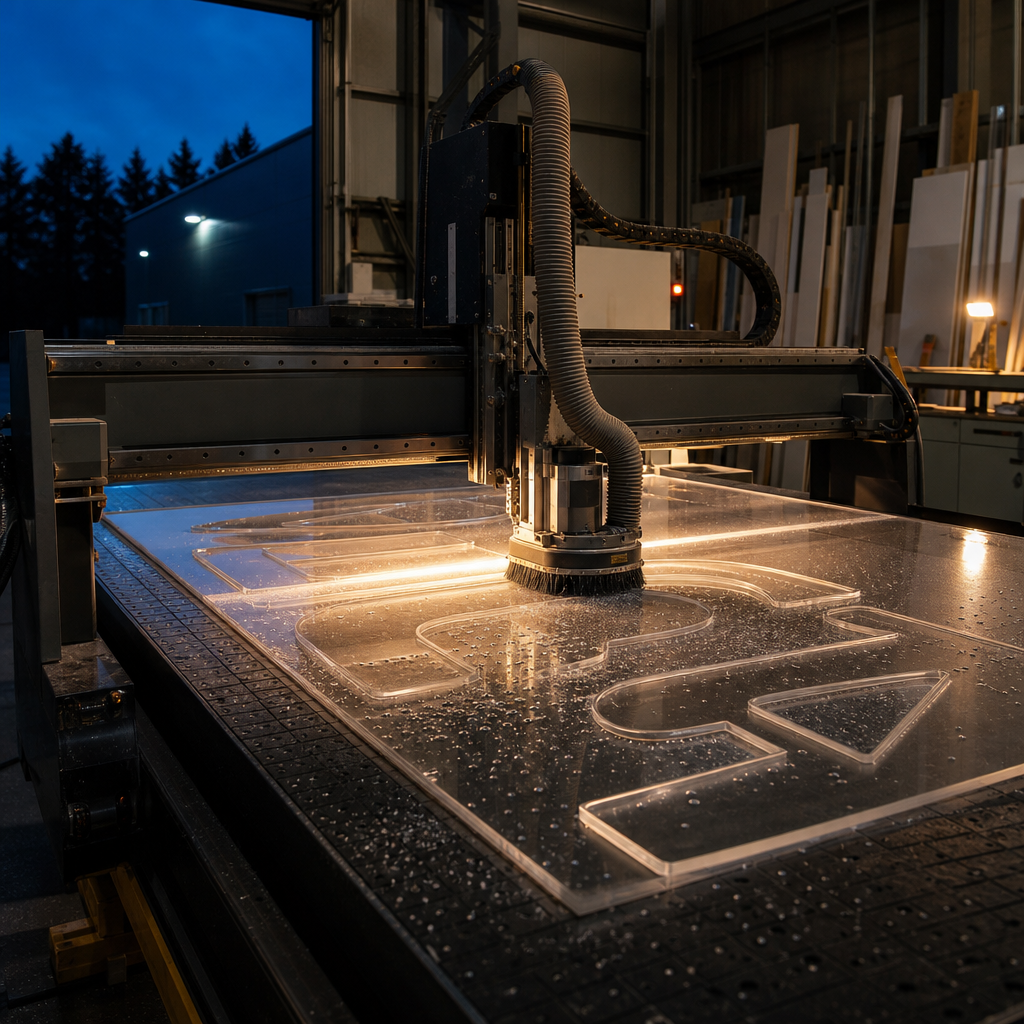
CNC routing cuts acrylic with a rotating carbide or diamond bit guided by computer-controlled axes, physically removing material rather than melting it. Laser cutting uses a focused beam that melts and vaporises acrylic, leaving a flame-polished edge but limited to thinner sheet. CNC routing handles thicker stock, 3D profiling and multi-layer work laser cannot.
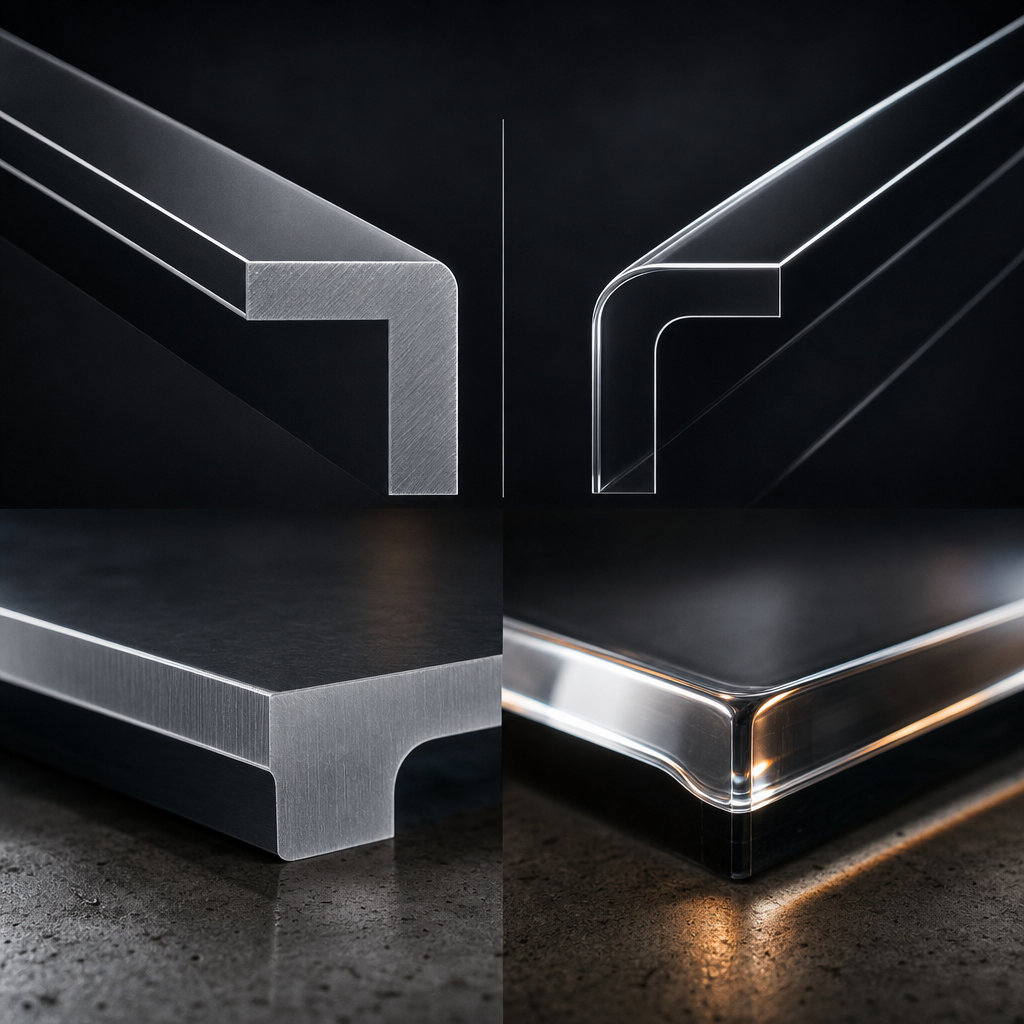
The practical difference shows up at the edge. A laser-cut edge comes off the machine glossy and clear, because the beam melts the acrylic as it cuts, essentially flame-polishing as it goes. That looks great on thin, small-format pieces. But push a laser through thick sheet, and heat builds up faster than it can dissipate. The result is scorching, a yellowed or hazy edge, and sometimes crazing (a network of fine internal cracks) in the acrylic near the cut line.
A CNC router avoids this because it's a physical cutting process. The bit shears material away rather than burning through it. That gives a matte, slightly textured edge straight off the machine, which fabricators then treat depending on the job: left as is for a hidden edge, sanded for a satin look, or flame polished afterwards with a separate torch pass for a clear, glassy finish where the edge is visible, such as on a built-up letter return.
CNC routing also does things laser cutting simply can't. It can machine grooves, chamfers, engraved logos and stepped profiles into the face of the acrylic, not just cut through it. That's essential for layered reception signage, recessed lettering, and lightbox faces that need a routed and infilled logo rather than a flat printed one. For most sign-grade acrylic over about 10mm, CNC routing is the only practical option, since laser cutters lose accuracy and edge quality well before that thickness.
Acrylic Types and Thicknesses Sunquest Works With
Sunquest routes both cast and extruded acrylic, in clear, opal and solid colours, typically from around 3mm through to 25mm and beyond depending on the sign. The right type and thickness depends on the application, the span of the panel, and whether the sign will sit outdoors under Queensland sun.
Cast and extruded acrylic are not interchangeable, even though they look similar off the shelf. Cast acrylic is poured and cured in sheet form, which gives it more consistent thickness, better chemical resistance, and an edge that machines and polishes more predictably. It's the standard choice for built-up letters, engraved plaques and any job where the cut edge will be visible. Extruded acrylic is cheaper and more common for glazing and large flat panels, but it can gum up a router bit differently and doesn't always flame polish as cleanly.
Thickness selection is driven by the sign type, not just cost. Thinner sheet, in the 3mm to 6mm range, suits window and wall graphics substrates, small wayfinding inserts and lightweight overlays where the acrylic is bonded or mounted to a backing panel. Mid-range thickness, around 8mm to 12mm, is the workhorse for reception plaques, layered logo signage and smaller lightbox faces. Heavier sheet, from 15mm up to 25mm and beyond, is used for freestanding letters that need to hold their shape without a backing panel, plinth faces that take knocks in a foyer, and pylon sign faces exposed to wind load.
Colour matters as much as thickness in Queensland. Clear and opal acrylics are the standard choice for illuminated faces, because opal diffuses LED light evenly without hot spots. Solid colour acrylics are popular for branding, but not every pigment holds its tone under sustained UV exposure. That's a material selection conversation worth having before a colour is locked into a brand guideline, not after the sign has faded on a north-facing wall.
What CNC Routing Makes Best
CNC routing is the right process whenever a sign needs depth, layering or a shaped 3D form rather than a flat cut-out. It's the standard fabrication method behind built-up acrylic letters, illuminated lightbox faces, layered reception signage, wayfinding plaques and plinth or pylon faces.
Built-up acrylic letters are routed individually, then assembled with returns (the sides of the letter) and a face, often with LEDs installed behind for illumination. The router cuts the exact letterform from the artwork file, which is why clean vector text matters so much at the quote stage. Get the file right and the letters come off the machine as a matched set, ready for assembly.
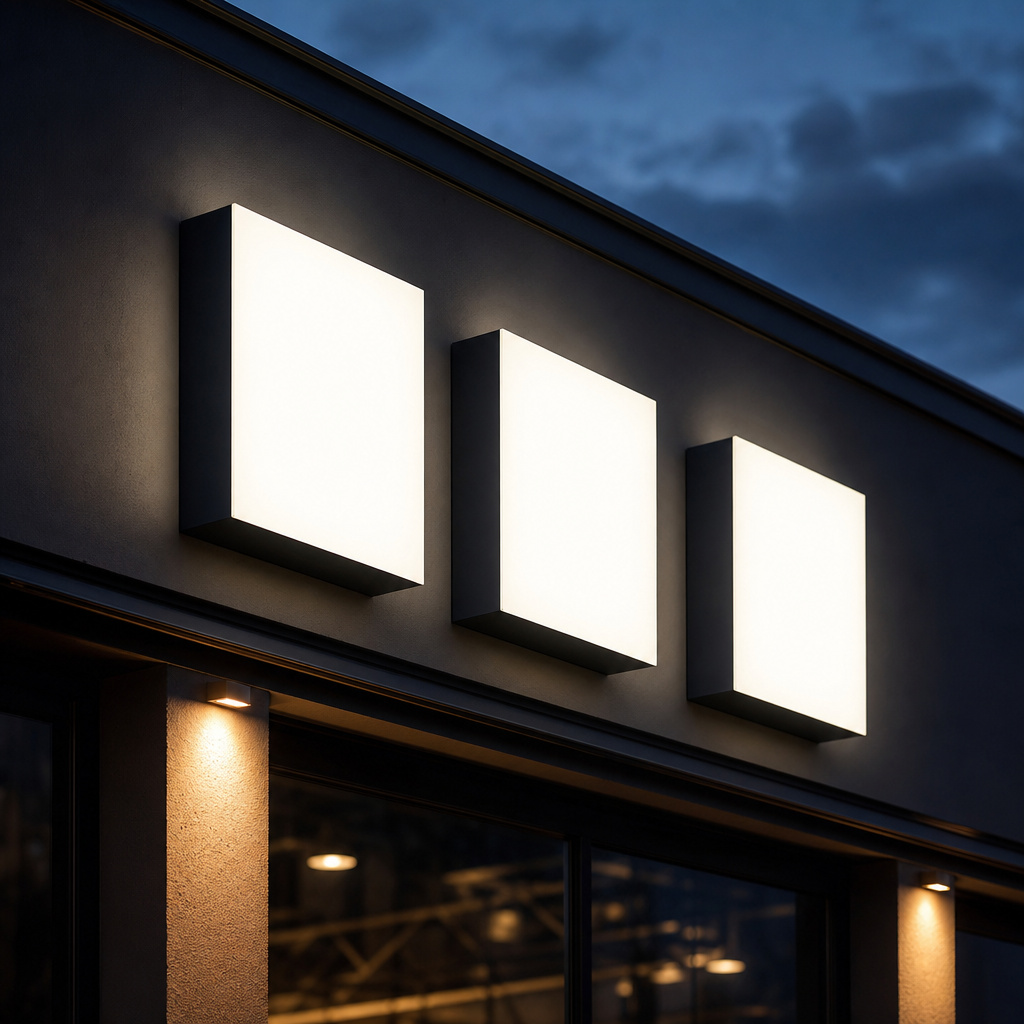
Lightbox and illuminated faces rely on CNC routing to create the diffuser panel, usually in opal acrylic, sometimes with routed and infilled logo elements so a brand mark glows evenly rather than showing as a flat printed silhouette. Reception signage follows a similar logic: a router cuts a base panel, then a second layer of acrylic (often with a routed and painted logo) is stood off the wall on spacers to create shadow and depth under foyer lighting.
Wayfinding plaques and directional signage benefit from CNC routing because a single machine pass can cut the panel shape, engrave the directional arrows or room numbers, and machine mounting holes in one setup. Plinth and pylon faces, which take the most physical knocks and the most sun, use CNC routing to get the thicker acrylic (often 15mm plus) cut accurately with clean, supported edges that won't chip on a corner.
Finishing Decisions That Change the Price
The biggest cost swings in acrylic signage come from finishing choices, not the base sheet. Polished edges, painted returns, digitally printed or vinyl-applied faces, LED illumination and the stand-off fixing system all add labour and materials on top of the routing itself.
A machined edge left as-is costs the least. Flame polishing adds a second production step, a separate pass with a torch or polishing wheel, and it's usually only worth doing where the edge is visible and needs to look glass-clear, such as on the front face of a built-up letter or a freestanding plaque edge.
Painted returns (the sides of a built-up letter) add cost because they require masking, spraying and cure time, but they're often what makes a letter set look genuinely premium rather than just cut and assembled. Digitally printed faces, where full-colour artwork or photographic imagery is printed directly onto the acrylic, cost more than a single spot-colour vinyl application but avoid the risk of vinyl lifting at the edges over time in humid Queensland conditions.
LED illumination changes both the acrylic spec and the price. Illuminated faces need to be routed to a consistent thickness for even light diffusion, and the choice between edge-lit and face-lit LEDs affects how deep the lightbox needs to be. Stand-offs and fixings, the hardware that holds a panel off a wall, range from simple nylon spacers to machined stainless steel, and that hardware choice is often driven by the building's finish as much as the sign's.
Common Specification Mistakes
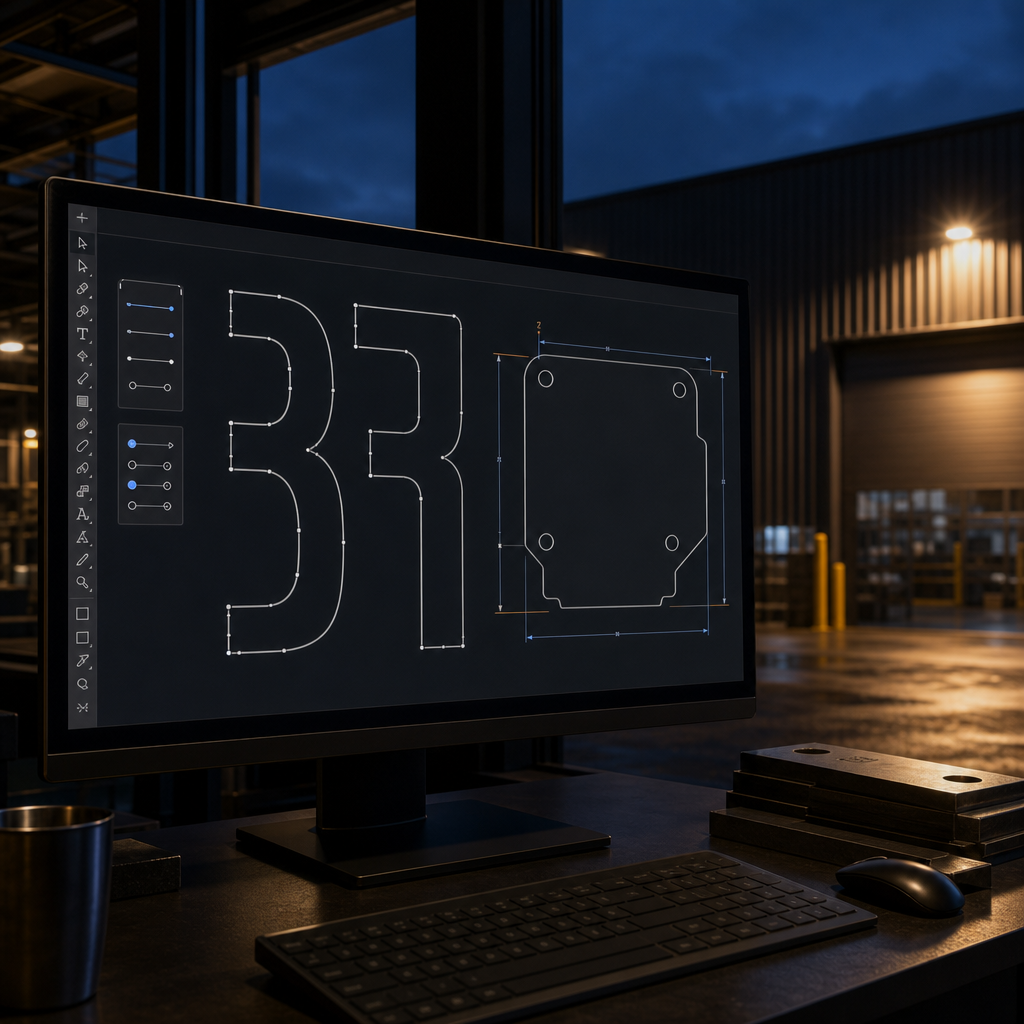
The most common acrylic signage mistakes are specifying sheet too thin for the span, tight internal corner radii that stress-crack under CNC routing, unsupported oversized letters, and UV-sensitive colours that were never meant for outdoor exposure. Every one of these shows up as a fault months after installation, not at the quote stage.
Thin acrylic on a large span is the most frequent issue. A 3mm panel might be fine as a small wall graphic but will visibly bow or flex if specified for a metre-wide plinth face without a backing structure. Acrylic needs enough thickness, or enough support, to hold flat under its own weight and under wind load if it's outdoors.
Undersized internal radii are a fabrication issue as much as a design one. Sharp internal corners concentrate stress, and a CNC router cutting a tight inside corner can leave a stress point that cracks later, especially in cast acrylic. A slightly larger internal radius, often invisible to the eye once the sign is up, avoids this entirely.
Unsupported letters, particularly tall, thin lettering in a lightweight typeface, can flex or snap during transport or installation if the acrylic is too thin for the letter's height and stroke width. And UV colour choice matters more in Queensland than almost anywhere else in Australia. Deep reds and some blues are known to fade faster under sustained high-UV exposure. A material recommendation before production, not after installation, is the only way to catch this.
Supplying Artwork That Routes Cleanly
Artwork that routes cleanly is a vector file (AI, EPS or PDF) with all text converted to outlines, no open paths, and stroke widths that respect the router bit's minimum cutting width. Files supplied as raster images or with live text almost always need rework before they can be sent to the machine.
Outlined fonts matter because a CNC router follows a path, not a font file. If text isn't converted to outlines, the router either can't read it correctly or produces a result that doesn't match what was designed on screen. Minimum stroke widths matter for a similar reason: a router bit has a physical diameter, and a design brief with hairline strokes or tightly packed serif detail simply can't be cut at true size without acrylic breaking or the router bit tearing through fine sections.
Tolerances are worth discussing early, particularly on multi-piece jobs like a full letter set or a layered reception sign, where every piece needs to line up on installation. A rough sketch with dimensions is a perfectly good starting point for a fabrication quote. It doesn't need to be print-ready. What matters is that the sign type, size and intended finish are clear enough for a fabricator to recommend the right acrylic thickness and process before committing to a final file.
Why In-House CNC Routing Changes the Quality Conversation
Most signage suppliers in Queensland resell fabricated acrylic rather than cutting it themselves. Sunquest Signs runs its own CNC routing in-house, which means the person quoting the job, the person cutting it, and the person assembling it are working from the same file and the same understanding of what the sign needs to do.
That matters more than it sounds. When routing is outsourced, every design change, every material substitution and every finish adjustment has to travel back and forth between the sign company and a third-party fabricator. Mistakes creep in at that handover point: a thickness gets substituted without anyone flagging it, or a stroke width that looked fine on screen turns out to be un-routable and gets simplified without the client knowing.
Consider a typical scenario: an illuminated shopfront face where the client wants a routed and infilled logo, evenly lit from behind, with no hot spots visible through the opal acrylic. Getting that right depends on matching the acrylic thickness, the LED spacing and the routing depth of the infill as one connected decision, not three separate steps handled by three different suppliers. The same logic applies to a routed reception logo mounted on stand-offs: the depth of the shadow gap, the thickness of the acrylic, and the finish on the routed edge all need to be decided together, because changing one changes how the others look once the sign is on the wall.
Having the router, the CNC operator and the sign designer under one roof is what makes that kind of coordinated decision possible without delay. It's also why Sunquest can turn design changes around quickly. Rather than sending a revised file to an external cutter and waiting for a new quote, adjustments happen in-house, on the same machine that will produce the final piece.
If you're specifying an acrylic sign and want a straight answer on thickness, edge finish and process before you commit to artwork, send Sunquest Signs a rough sketch or your existing files. A fabrication quote from the people who actually run the router is a more useful starting point than a quote based on someone else's assumptions about what can be cut.
References
- ARPANSA (Australian Radiation Protection and Nuclear Safety Agency), https://www.arpansa.gov.au, for guidance on Australia's UV radiation levels relevant to material and colour selection for outdoor signage.
- Bureau of Meteorology, http://www.bom.gov.au, for Queensland climate and UV data relevant to outdoor acrylic sign performance.
- Chemistry Australia, https://chemistryaustralia.org.au, representing the plastics and chemicals manufacturing sector including acrylic sheet producers.
Talk to a signage expert
Tell us about your project and we'll come back with options and honest advice.
Get in TouchFrequently Asked Questions
What's the difference between CNC routing and laser cutting acrylic?
CNC routing physically cuts acrylic with a rotating bit, leaving a matte, machined edge suited to thicker sheet and 3D shapes. Laser cutting melts through thinner acrylic with a focused beam, leaving a glossy, flame-polished edge but with tighter thickness limits.
What thickness of acrylic can be CNC routed?
Sunquest routes acrylic from around 3mm through to 25mm and beyond. The right thickness depends on the sign type: thin sheet suits graphics and inserts, mid-range suits plaques and lightbox faces, and heavier sheet suits freestanding letters and plinth faces.
Does CNC routing leave a rough edge on acrylic?
A CNC-routed edge comes off the machine with a matte, slightly textured finish rather than a rough one. It can be left as is, sanded for a satin look, or flame polished afterwards for a clear, glass-like edge where it will be visible.
Can CNC routed acrylic be used outdoors in Queensland's UV and coastal conditions?
Yes, provided the acrylic grade and colour are chosen for outdoor exposure. Cast acrylic generally holds up better than extruded, and some pigments, particularly deep reds and some blues, fade faster under sustained high UV, so colour selection should account for sun exposure and coastal humidity.
What file format do I need to supply for CNC routing?
A vector file such as AI, EPS or PDF works best, with text converted to outlines and no open paths. A rough sketch with dimensions is enough to get a fabrication quote and material recommendation started.
How much does CNC routed acrylic signage cost?
Cost depends more on finishing than on the base sheet: polished edges, painted returns, printed or vinyl faces, LED illumination and the fixing hardware all add to the price. A fabrication quote based on your specific design and sign type is the only reliable way to price a job.
Related Articles
Shop Front Signs in Caloundra: Precinct Styles, Coastal Materials, Council Rules and Costs
Shop Front Signs on the Sunshine Coast: Types, Coastal Materials, Council Rules and Costs
Pylon Signs on the Sunshine Coast: Design, Materials, Approvals and Installation
Signs that set you apart
Over 40 years on the Sunshine Coast. Design, compliance, manufacture and installation handled end to end.
Get a Free Quote